
%%{init: {"htmlLabels": false, "flowchart": {"htmlLabels": false, "padding": 16}, "themeVariables": {"fontFamily": "Space Grotesk, sans-serif", "fontSize": "20px"}}}%%
flowchart LR
subgraph Host["Agent host"]
M[LLM] <--> C[MCP client]
end
C <-- "server/discover<br/>tools/list<br/>tools/call" --> S[Your MCP server]
S <--> API[Your API]
classDef box fill:#ffffff,stroke:#0a0a0a,stroke-width:3px,color:#0a0a0a
classDef yours fill:#ffd600,stroke:#0a0a0a,stroke-width:3px,color:#0a0a0a
class M,C box
class S,API yours
style Host fill:#f5f5f0,stroke:#0a0a0a,stroke-width:3px,color:#0a0a0a
Building Software Products for the Agentic Age
CLI · MCP · Agentic web
Your next user reads text, calls tools, and clicks as a last resort.
Indrajeet Patil
Source code for these slides can be found on GitHub.
What you’ll learn today
📋 We assume you know
- what a large language model (LLM) is
- an agent is an LLM calling tools in a loop
- CLI, HTTP, and HTML basics
🎯 You will leave with
- how agents experience products
- products agents act on
- websites agents read and cite
- tools to measure readiness
Agent-friendliness is a new layer on top of good engineering, not a replacement for it.
A new kind of user
Part 0 · Foundations
Same product, new user
For decades, every user reached your product through a screen. Now many arrive through an agent.
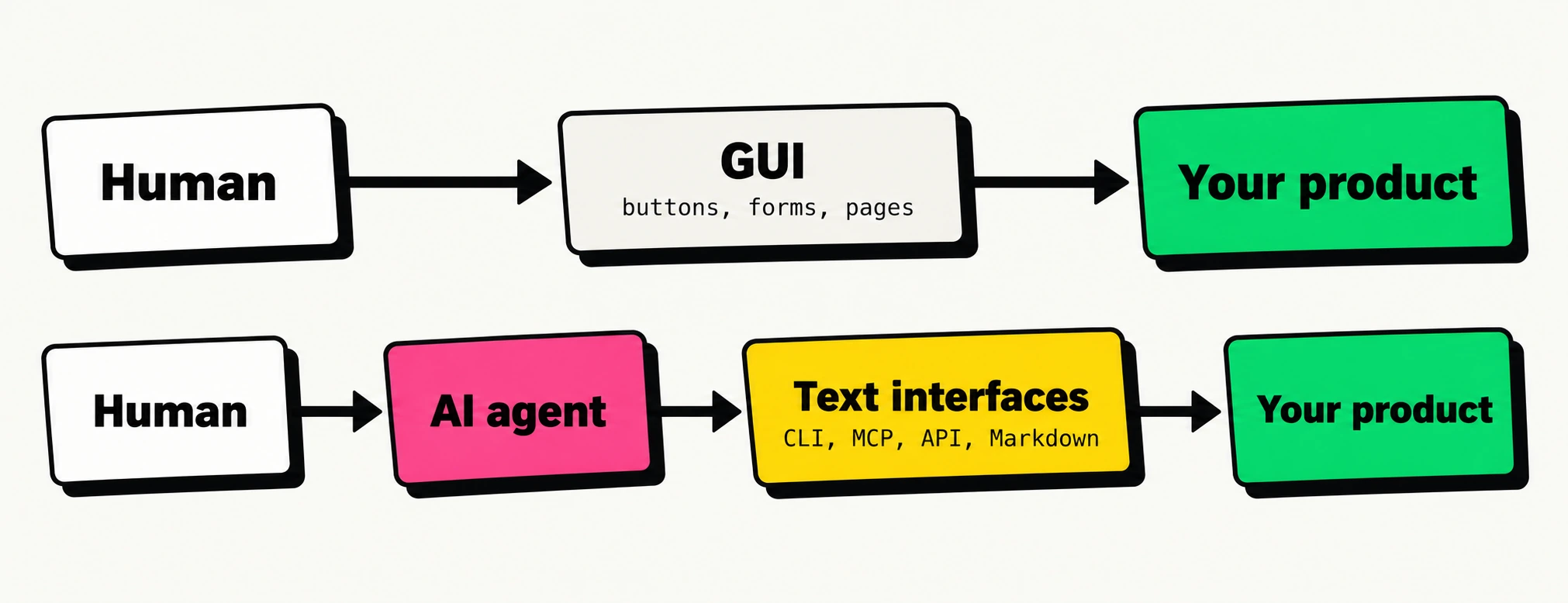
Agents can see and click, but don’t require it. Offer text interfaces and a path for human approval.
How an agent works with your product
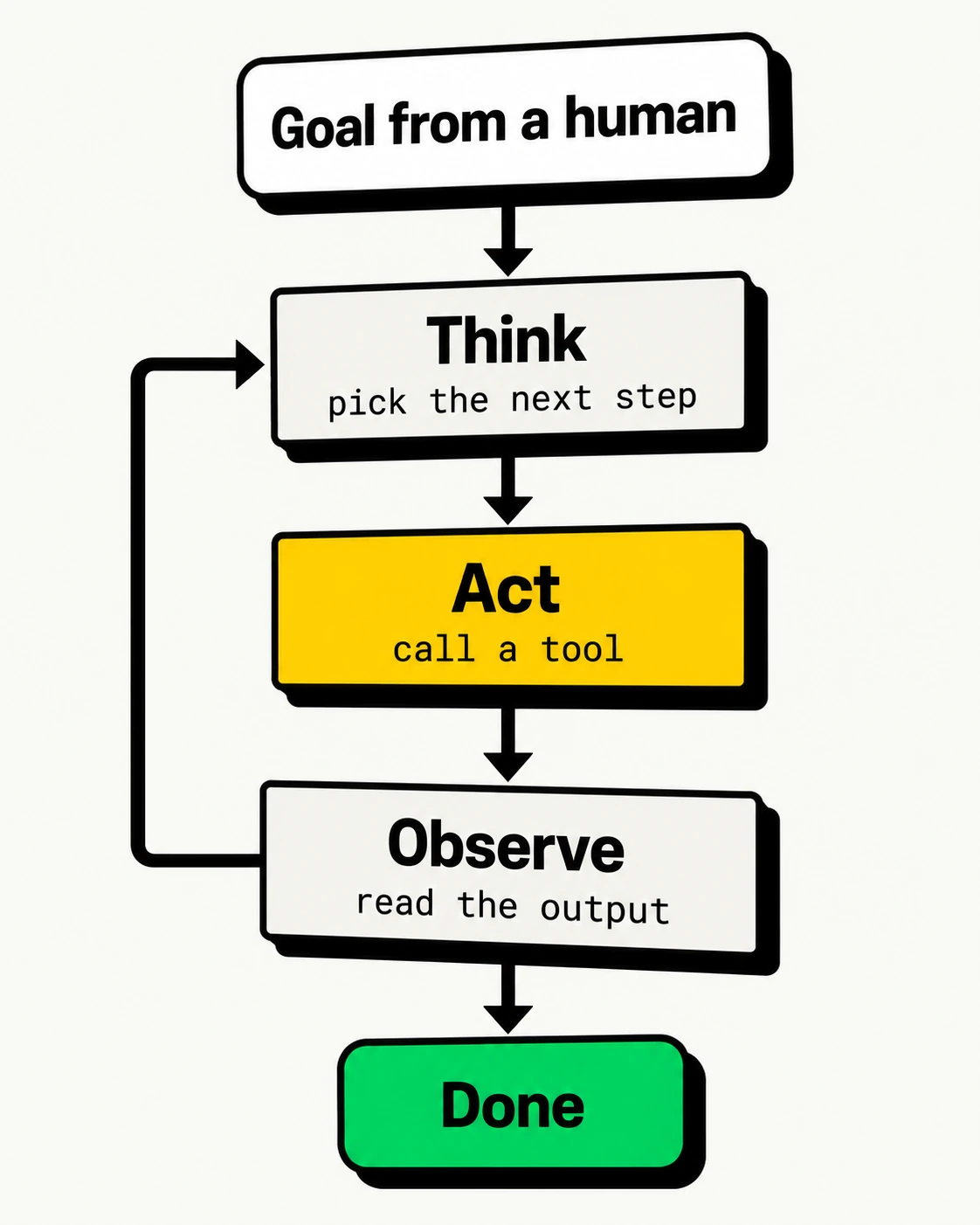
Text works best. Output, errors, and docs all land in the context window.
Every token costs. Noisy output burns money and crowds out the task.
No one at the keyboard. A y/N prompt stalls the loop; approval must come through the host.
Humans and agents need different things
| Need | Human user | Agent user |
|---|---|---|
| Input | Pixels on a screen | Text in a context window |
| Navigation | Menus, clicks, scrolling | Commands, links, tool calls |
| Learning | Tutorials, tooltips | --help, schemas, llms.txt |
| Errors | Red banner, retry button | Exit code + message it can act on |
| Login | Form, password, MFA prompt | Token, OAuth flow, environment variable |
| Noise | Mildly annoying | Costs tokens and derails the task |
Good news: most of what agents need is what good engineering already recommends.
Products agents can operate
Part 1 · CLI and MCP
Three ways in
| HTTP API | CLI | MCP server | |
|---|---|---|---|
| Agent needs | An HTTP client and your docs | A shell | An MCP-capable host |
| Discovery | OpenAPI spec, docs pages | --help, man pages, training data |
server/discover, then tools/list returns schemas |
| Auth | API keys, OAuth | Token in env var, stored login | Per-user OAuth (remote) or local credentials |
| Context cost | Whatever docs it reads | Pay only for commands used | Tool schemas, up front or searched on demand (host’s choice) |
| Sweet spot | Everything builds on it | Coding agents with a terminal | Chat apps and hosted agents with no shell |
CLI and MCP are thin layers over a good API. Get the API right first.
Hosts can defer MCP tool schemas and load them on demand: see Anthropic’s tool search tool.
The command line is back
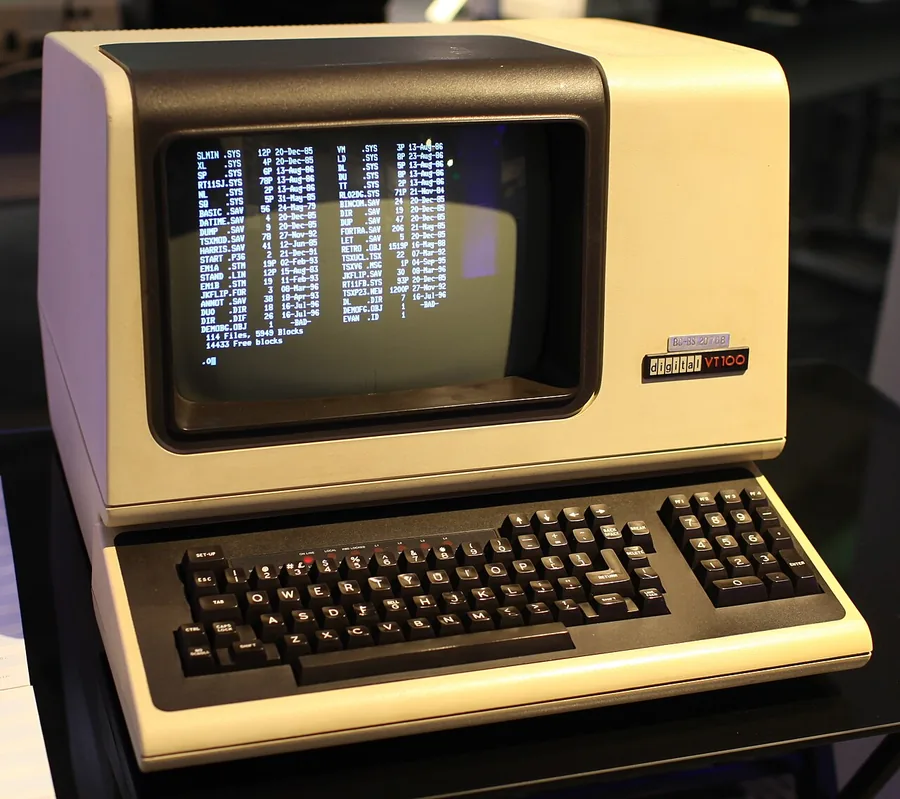
DEC VT100 terminal. Photo: Jason Scott, CC BY 2.0
Fluent
Models have read decades of shell scripts and docs.
Composable
Pipe into jq, grep, and xargs.
Self-documenting
--help is read only when needed.
Cheap
Nothing enters context until it runs.
Anatomy of an agent-friendly CLI
| Principle | Why agents care | Looks like |
|---|---|---|
| Structured output | Parse, don’t scrape tables | --json, -o json |
| Field selection | Smaller output, fewer tokens | --json name,id, --query |
| Never block on input | No one is there to type y |
--yes, GH_PROMPT_DISABLED=1 |
| Headless auth | Agents can’t click “Sign in” | GH_TOKEN=…, az login --identity (on Azure) |
| Meaningful exit codes | Branch on success vs failure | 0 ok, 2 bad usage, 3 not found, 4 refused |
| Actionable errors on stderr | Self-correct on the next turn | error: no todo 7; run todo list |
Examples in --help |
Learn usage on demand | gh pr create --help |
| Stable, versioned output | Scripts and agents break silently | Add fields; never rename them |
Sources: Arcjet, Speakeasy, GitHub CLI manual
A minimal agent-friendly CLI
A toy todo CLI in Typer. Highlights mark the agent-friendly bits.
todo.py
from json import dumps
import typer

app = typer.Typer(rich_markup_mode=None)  # plain text: no box art for agents
TODOS = [{"id": 1, "title": "Write slides"}]

@app.command("list")
def list_todos(json: bool = typer.Option(False, "--json")):
    """Show all todos."""
    print(dumps(TODOS) if json else "\n".join(t["title"] for t in TODOS))

@app.command()
def delete(todo_id: int, yes: bool = typer.Option(False, "--yes")):
    """Delete a todo by id."""
    if todo_id not in {t["id"] for t in TODOS}:
        typer.echo(f"error: no todo {todo_id}; run `todo list`", err=True)
        raise typer.Exit(3)
    if not yes:
        typer.echo("error: deleting needs --yes", err=True)
        raise typer.Exit(4)
    print(dumps({"deleted": todo_id}))

app()
A stub: delete validates and reports but stores nothing. Typer turns type hints and docstrings into --help. Exit code 2 already means a usage error, so domain errors start at 3. Tested with Typer 0.27.3.
The same CLI, seen by an agent
Human mode
Agent mode
Each error tells the agent what went wrong and what to try next.
Exemplar: GitHub CLI (gh)
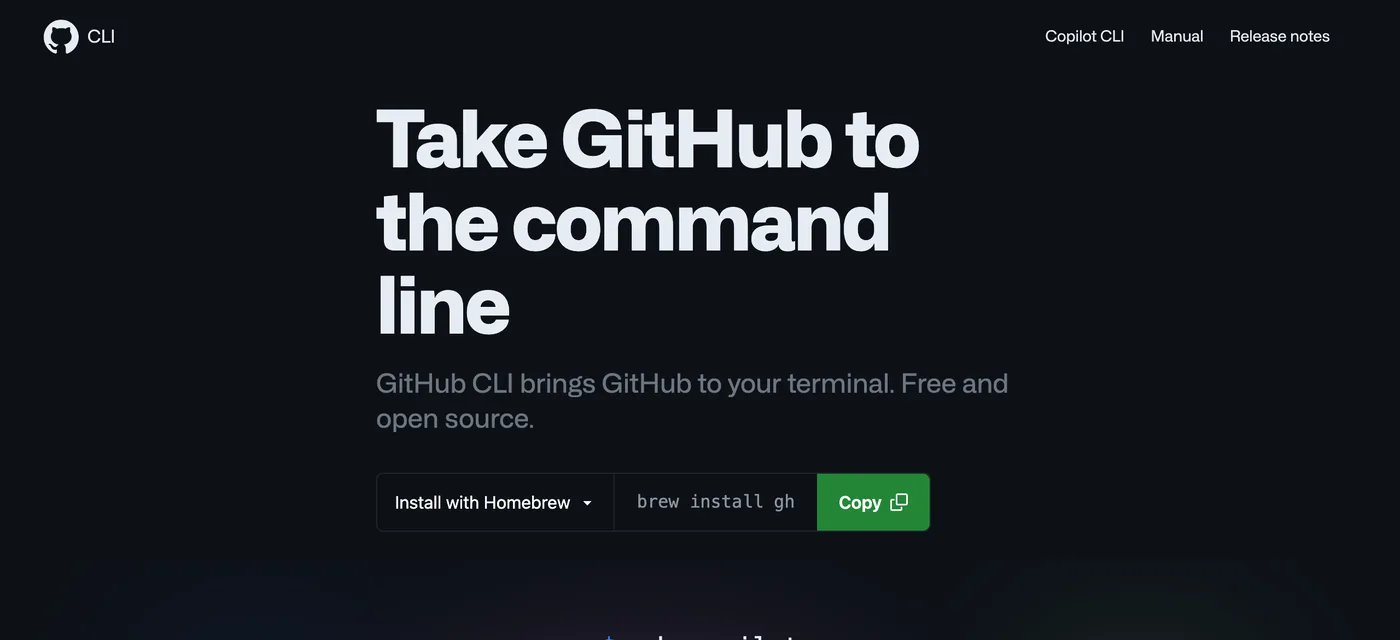
Screenshot of cli.github.com, 7 Oct 2026
--json+--jqalmost everywhereGH_TOKENfor headless authGH_PROMPT_DISABLEDstops prompts
terminal
Source: GitHub CLI manual
Exemplar: Azure CLI (az)
terminal
# JMESPath query + TSV output: values only, no table art
$ az vm list --show-details \
    --query "[?powerState=='VM running'].name" -o tsv

# No prompt; --no-wait returns once started
$ az group delete --name rg-demo --yes --no-wait
$ az group wait --name rg-demo --deleted

# Managed identity: on an Azure VM or app
$ az login --identity

# Escape hatch: any Azure REST API, already authenticated
$ az rest --method get --url "<management-endpoint>"--queryfilters before output-o json,tsv, ortableeverywhere--yes,--no-waitfor unattended runs, thenwaitto confirm
Pattern: human-friendly by default, machine-friendly by flag, with the full API one command away.
What is MCP?
The Model Context Protocol is an open standard for plugging tools and data into any agent host. Current spec: 2026-07-28
Tools: actions the model can call
Resources: data the app can read
Prompts: templates the user can pick
Source: MCP specification 2026-07-28
A minimal MCP server
Type hints and docstrings become the interface. Write them for a reader with no context.
A stub: add_todo stores nothing and ignores due. Tested with the MCP Python SDK 2.3.0, which speaks protocol 2026-07-28; schema output abridged.
Every request stands alone
POST /mcp: headers
Sent with curl to the minimal server.py from the previous slide (MCP Python SDK 2.3.0); without the headers the server returns 400. Response abridged. Specs: Streamable HTTP, caching.
CLI or MCP?
Prefer a CLI when
- the agent has a terminal (coding agents)
- one developer, their own credentials
- output needs piping and scripting
- humans use the same tool
Prefer MCP when
- the agent has no shell (chat apps)
- many users need per-user OAuth
- you need central governance and audit
- you want hosted, zero-install access
Design beats protocol
A naive MCP server exposes one tool per endpoint. Cloudflare’s API has 2,500+ endpoints.
~1.17M tokens of tool definitions: one tool per endpoint
~1,000 tokens of tool definitions: search() + execute()
Expose discoverable, task-shaped tools, not raw endpoints. Let the agent search for detail on demand.
The numbers compare what the tool definitions cost in context, not total task tokens, latency, or success rate. Source: Cloudflare, Code Mode: give agents an entire API in 1,000 tokens
Who does this well?
| Company | CLI | MCP server | Docs agents can read |
|---|---|---|---|
| GitHub | gh with --json, --jq, gh api |
GitHub MCP Server, local and remote | Markdown docs |
| Microsoft Azure | az with --query, -o tsv, az rest |
Azure MCP Server | Microsoft Learn MCP |
| Stripe | stripe CLI |
Remote MCP at mcp.stripe.com |
docs.stripe.com/llms.txt |
| Cloudflare | wrangler |
Code Mode MCP for the whole API | Markdown for Agents, llms.txt |
| Vercel | vercel CLI |
Remote MCP at mcp.vercel.com |
Markdown via content negotiation |
These vendors’ users span terminals and chat apps, so they ship all three. Choose yours from your users’ workflows.
Teach the agent: ship a skill
skills/todo-cli/SKILL.md
Agent Skills are folders of instructions an agent loads only when relevant.
AGENTS.md does the same job for a repository.
Tools ship them too: Astral publishes an official uv skill.
Sources: agentskills.io, agents.md, Astral’s uv skill
Packages: docs agents can fetch
Coding agents read your docs, in Markdown, before they call your code.
| File | What it holds | uv |
|---|---|---|
/llms.txt |
Summary plus curated links to Markdown pages | 5 KB |
/llms-full.txt |
Every docs page concatenated into one file | — |
/<page>/index.md |
A Markdown twin of each HTML page | 29 KB vs 169 KB HTML |
<link> tag |
rel="alternate" points crawlers at the .md twin |
— |
llms.txt to navigate, .md pages to read one topic, llms-full.txt to load everything.
Hype check: Google says AI search needs no llms.txt, but it’s cheap and Lighthouse checks it. Start it with a “When to use this” line.
Sizes from uv’s docs, 7 Oct 2026; — means not published. /.well-known/ copies count only at the domain root (RFC 8615). Sources: llmstxt.org, Google, Lighthouse.
Generate them at build time
llms.txt: the build writes
# uv

> uv is an extremely fast Python package
> and project manager, written in Rust.

You can use uv to install Python ...

## Getting started

- [Installation](https://docs.astral.sh/uv/
  getting-started/installation/index.md)

## Guides

- [Running scripts](https://docs.astral.sh/uv/
  guides/scripts/index.md)
The llmstxt plugin for MkDocs writes these files on every build. Zensical has it built in since 0.0.67.
Abridged from uv’s mkdocs.yml and llms.txt (long lines wrapped). Sources: mkdocs-llmstxt, Zensical plugins
Get indexed by Context7
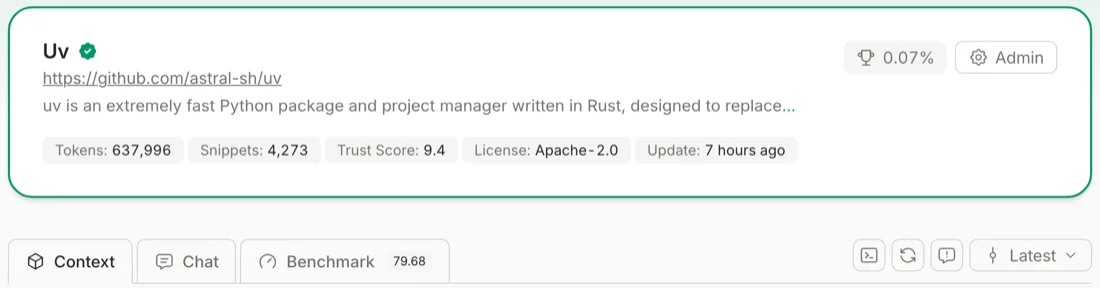
Screenshot of context7.com/astral-sh/uv, 7 Oct 2026
Add your repo at context7.com and steer the parser with context7.json. Agents then call resolve-library-id and query-docs over MCP.
Sources: Context7, Adding libraries and Library owners. Output abridged from a live query on 7 Oct 2026.
Context7 as a docs quality check
4,273 code snippets extracted
637,996 tokens of docs indexed
80 benchmark score
| Signal | What it tells you |
|---|---|
| Snippets | How many code examples Context7 extracted. Few snippets means few examples; extraction doesn’t prove they run. |
| Benchmark | LLMs ask the questions developers ask, answer from your docs, and a jury scores the answers. |
| Trust score | Organisation signals: age, stars, followers, contributors, referrals. |
Ask Context7 your users’ top five questions. No answers? Your docs are hard to find there.
Source: Upstash, Inside Context7’s quality stack. uv figures from Context7 on 7 Oct 2026. Scores are LLM-judged signals, not a certificate of correctness or security.
Agents act with your users’ credentials
🔑 Least privilege
Fine-grained, scoped, short-lived tokens. Read-only by default.
🧪 Dry runs, safe retries
--dry-run first; idempotency keys so retries never write twice.
🛑 Explicit intent
A flag for anything destructive; consent comes from the user.
🧾 Audit trail
Identify agent traffic and log every action it takes.
Treat tool output as untrusted input: text in the data can carry instructions that hijack the agent (prompt injection).
Websites agents can read
Part 2 · The agentic web
The web was built for people with browsers
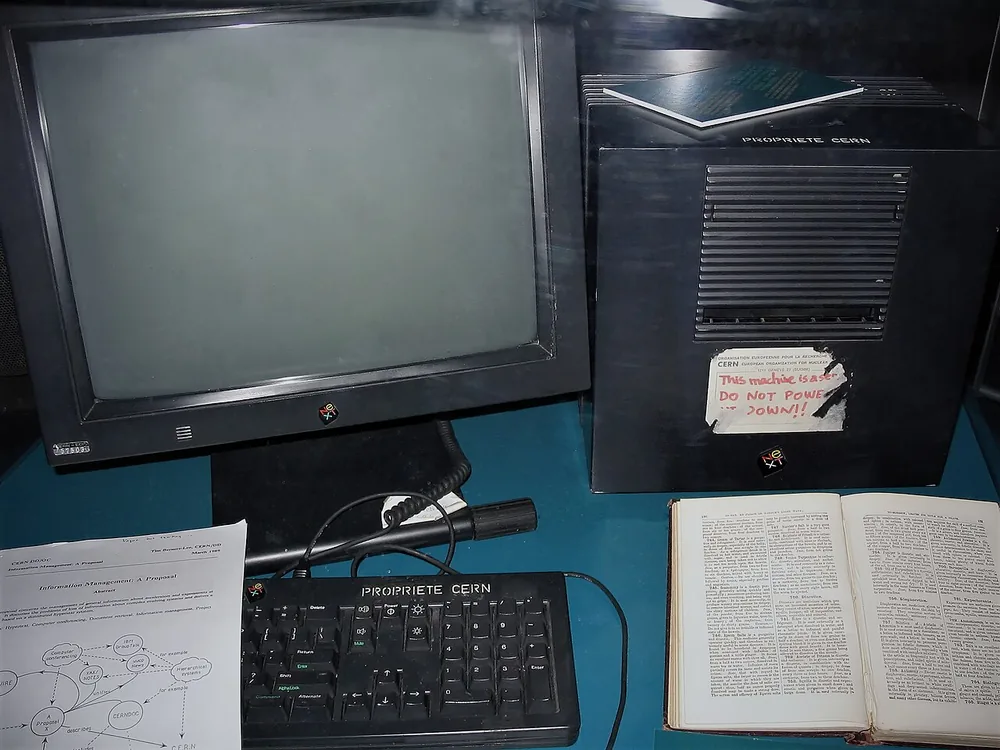
The first web server, CERN. Photo: Coolcaesar, CC BY-SA 3.0

< 50% of HTML page requests on Cloudflare now come from a human
Machines, from crawlers and scrapers to agents acting for people, now request more pages than people do.
Source: Cloudflare, From ranking to recommended (Aug 2026)
Who are the machine visitors?
| Visitor | Example user agents | What it wants | When |
|---|---|---|---|
| Search crawler | Googlebot, OAI-SearchBot, Claude-SearchBot |
Index pages for search results | Continuously |
| Training crawler | GPTBot, ClaudeBot, CCBot |
Content for training models | Periodically |
| User-directed fetcher | ChatGPT-User, Claude-User, Perplexity-User |
Answer one person’s question now | On demand |
| Browser agent | Agents driving Chrome or a headless browser | Click and type on a user’s behalf | On demand |
Each group can be allowed or refused separately. That choice is yours.
Participation is a choice
🚫 Opt out
⚖️ Search, no training
Not taking part is completely legitimate. Pick deliberately, then make the signals match.
robots.txt is a request, not a lock: enforce with bot management or a WAF. Content signals state a preference; Disallow is what crawlers without signal support obey. Content-Signal values must sit on one line in a real file. Sources: contentsignals.org, Cloudflare managed robots.txt
The old rules still apply
Agent extras: llms.txt, Markdown, MCP
Structured data and metadata
SEO: crawlable, titled, described, in a sitemap
Fast, accessible, semantic HTML over HTTPS
“All existing SEO fundamentals continue to be worthwhile.”
Google Search Central
“Agents review the accessibility tree to identify interactive elements.”
Chrome Lighthouse docs
A ladder, not a checklist
LEVEL 0 Foundations SEO, accessibility, performance, HTTPS
LEVEL 1 Discoverable robots.txt stance, sitemap, content signals
LEVEL 2 Readable Server-rendered HTML, Markdown, llms.txt
LEVEL 3 Trustworthy Structured data, trust pages, honest status codes
LEVEL 4 Operable API catalogue, OAuth, MCP, WebMCP
Climb only as high as your site needs. Personal sites can stop at level 3.
Level 1: be discoverable
Crawlers obey only their most specific group, so named training bots skip * and see only Disallow.
robots.txt sits on 78% of top sites; content signals on just 4%.
Sources: Cloudflare, Introducing the Agent Readiness score (Apr 2026); Anthropic: blocking ClaudeBot
Level 2: put content in the HTML
❌ Client-rendered shell
Many fetchers never run JavaScript, so they see nothing.
terminal
Source: Vercel, Make your site readable by AI agents
Level 2: serve Markdown to agents
terminal
645 → 7 KB Vercel blog post, HTML vs Markdown
179 → 17 KB Cloudflare docs page, HTML vs Markdown
Can’t negotiate? Publish .md mirrors and link them with <link rel="alternate" type="text/markdown">.
Measured with curl on 7 Oct 2026. See Vercel, content negotiation, and Cloudflare, Markdown for Agents.
Level 3: say who you are, in data
index.html
<html lang="en-GB">
<head>
  <title>Jane Doe, data engineer</title>
  <meta name="description" content="...">
  <link rel="canonical" href="https://jane.dev/">
  <script type="application/ld+json">
  {
    "@context": "https://schema.org",
    "@type": "ProfilePage",
    "mainEntity": {
      "@type": "Person",
      "name": "Jane Doe",
      "sameAs": ["https://github.com/janedoe"]
    }
  }
  </script>
</head>| Signal | Keep it |
|---|---|
<title>, description |
Unique per page |
| Canonical URL | Exactly what is served |
lang, og:locale |
Consistent everywhere |
| JSON-LD type | Honest: no fake FAQs |
| Dates | Real changes only |
Source: schema.org. Mismatched locale or canonical signals confuse crawlers and retrieval alike.
Level 3: earn the agent’s trust
🪪 Trust pages
Real About, Contact, and Privacy pages, with substance, linked from every footer.
🔢 Honest status codes
404 for missing pages, not a 200 app shell. 429 with Retry-After when throttling.
🧭 Helpful 404s
Point lost agents to the sitemap, llms.txt, and the About page.
🔒 Accurate privacy
Describe the analytics you actually run. Agents quote you.
Sources: Vercel, Make your site readable by AI agents; is-agentic.com methodology
Level 4: advertise what agents can do
| Signal | Location | Publish only if… |
|---|---|---|
| API catalogue (RFC 9727) | /.well-known/api-catalog |
You have a public API |
| OpenAPI spec | e.g. /openapi.json |
You have a public API |
| OAuth resource metadata (RFC 9728) | /.well-known/oauth-protected-resource + resource path |
Your API or MCP server needs a token |
| MCP Server Card | /.well-known/mcp/server-card.json |
You run an MCP server |
| Agent Skills index | /.well-known/agent-skills/index.json |
You have tasks worth teaching |
| Agentic commerce | x402, ACP, UCP | Agents can buy from you |
Never advertise a capability you don’t have. A false signal is worse than none.
For a server at /mcp, that is /.well-known/oauth-protected-resource/mcp; WWW-Authenticate can also point to it. The metadata names your authorisation server; that server, often an external identity provider, publishes /.well-known/oauth-authorization-server. Sources: Cloudflare, isitagentready.com check list; MCP authorisation
Level 4: WebMCP, tools inside the page
Experimental
A browser agent calls search_flights directly instead of guessing which box to type in.
WebMCP is a Chrome origin trial; API names are still changing. Watch, don’t bet the roadmap.
Source: Chrome, WebMCP schema validity audit
Your host decides some of this
| Capability | Static host (e.g. GitHub Pages) | Programmable edge (Cloudflare, Vercel, Netlify) |
|---|---|---|
robots.txt, sitemap, llms.txt |
✅ | ✅ |
.md mirrors + <link rel="alternate"> |
✅ | ✅ |
Link response headers (RFC 8288) |
❌ fixed headers | ✅ |
Accept: text/markdown negotiation |
❌ | ✅ toggle or rewrite rule |
| Bot management, enforced blocking | ❌ | ✅ |
Some failing checks are hosting decisions, not code bugs. Use the static substitutes and move on.
Personal vs commercial sites
| Personal, non-commercial | Commercial | |
|---|---|---|
| Goal | Be found and cited correctly | Be found, recommended, and used |
| Must | Levels 0–1, server-rendered HTML | Levels 0–3 everywhere |
| Worth it | llms.txt, .md mirrors, Person JSON-LD, trust pages |
Markdown negotiation, OpenAPI, CLI, MCP, OAuth |
| Skip | API catalogue, OAuth, MCP card, WebMCP: nothing to call | Signals for features you don’t offer |
| Track | Search Console, an occasional scan | Citation rate and share of voice in AI answers |
Size the effort to the site. If visitors can’t do anything there, skip the API layer.
Source for answer-engine metrics: Cloudflare, From ranking to recommended
Measure and iterate
Part 3 · Tools
Paste a URL, get a score
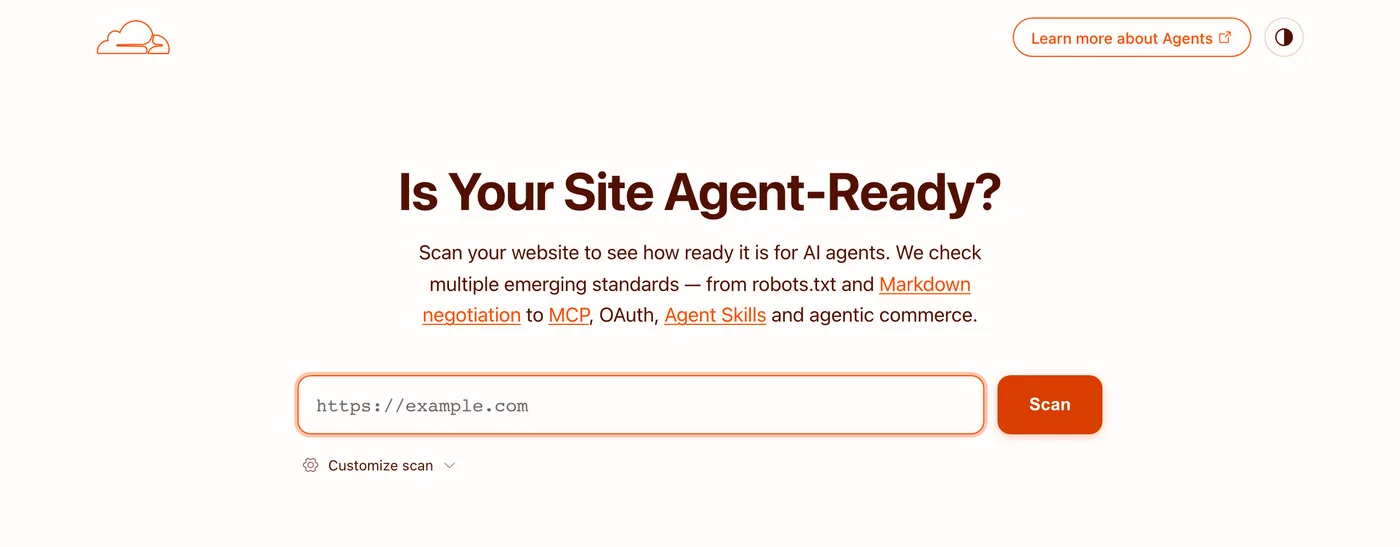
isitagentready.com by Cloudflare, 7 Oct 2026
Discoverability, content, bot access, protocol discovery, and (unscored) commerce
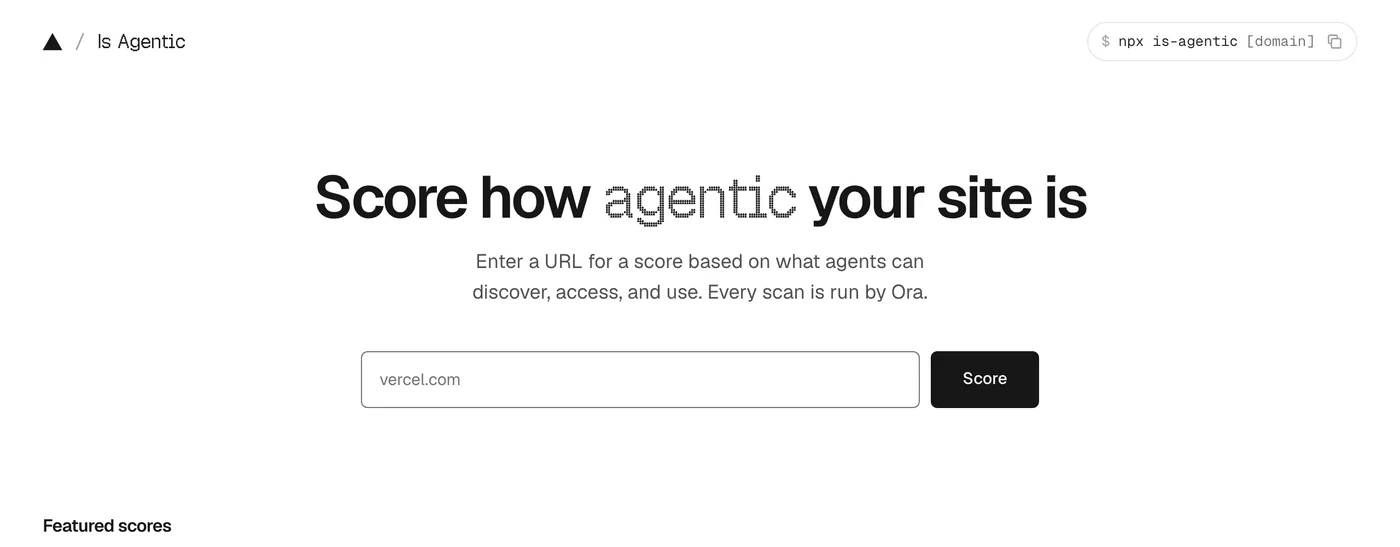
is-agentic.com by Vercel, 7 Oct 2026
100+ checks, scored 0–100, with a web UI, CLI, API and MCP server
Same site, two very different scores
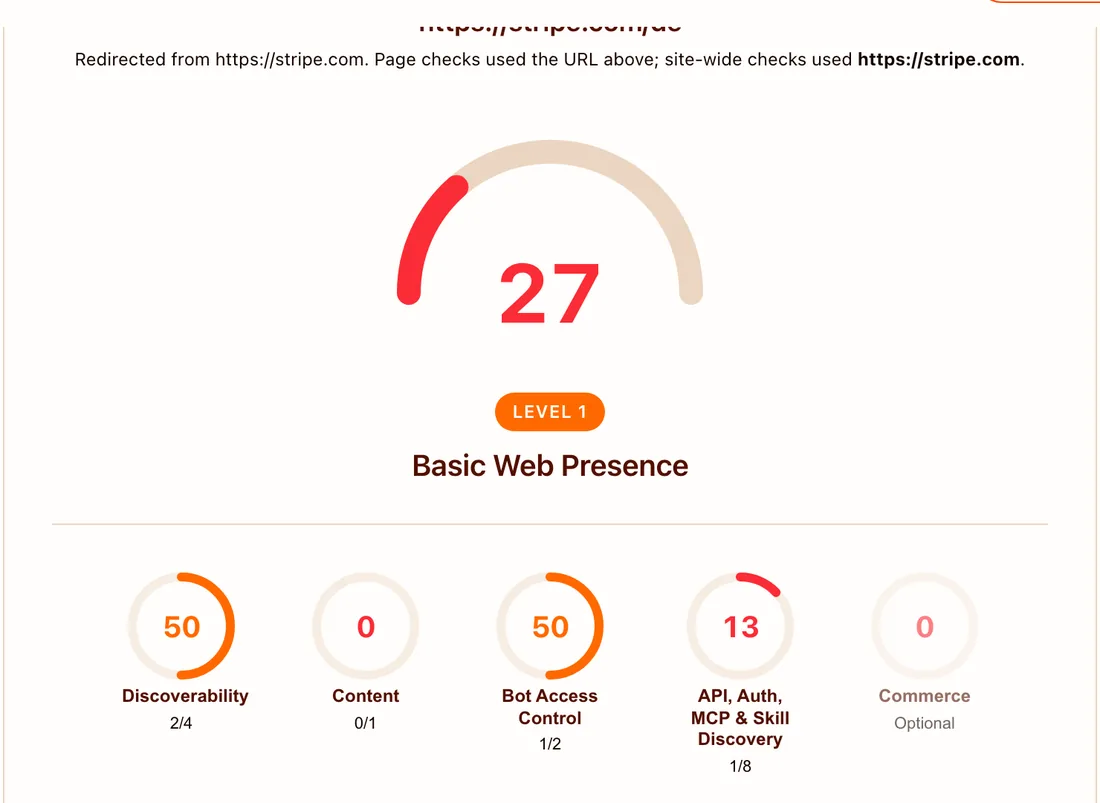
stripe.com on isitagentready.com, 7 Oct 2026
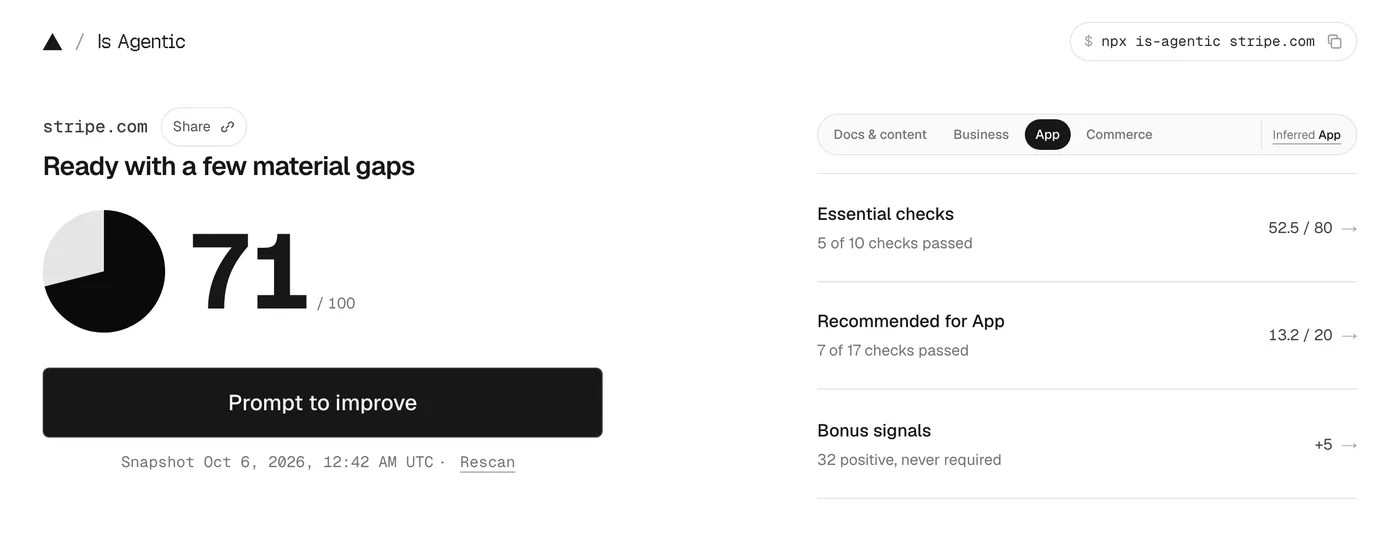
stripe.com on is-agentic.com, 7 Oct 2026
27 vs 71. Scanners are opinionated checklists, so read the findings, not the number.
From findings to a prompt
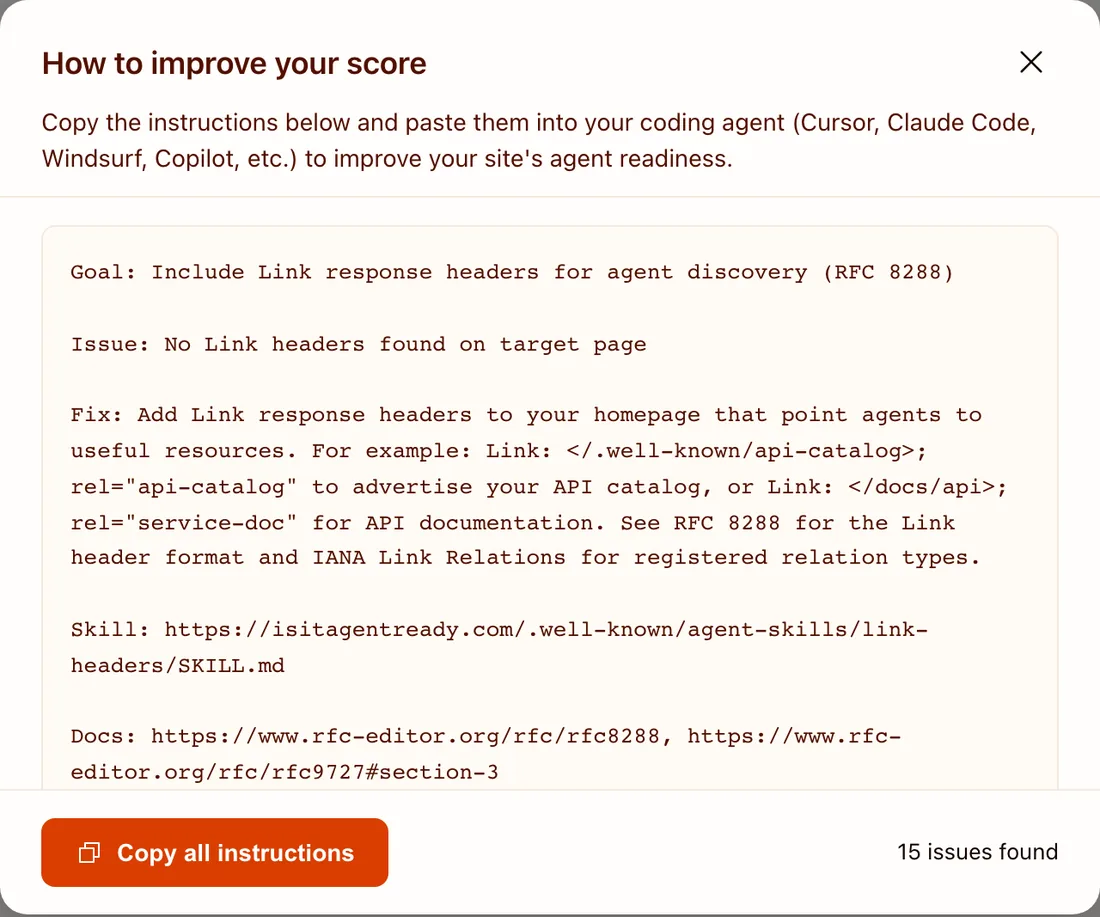
isitagentready.com: “Improve the score”
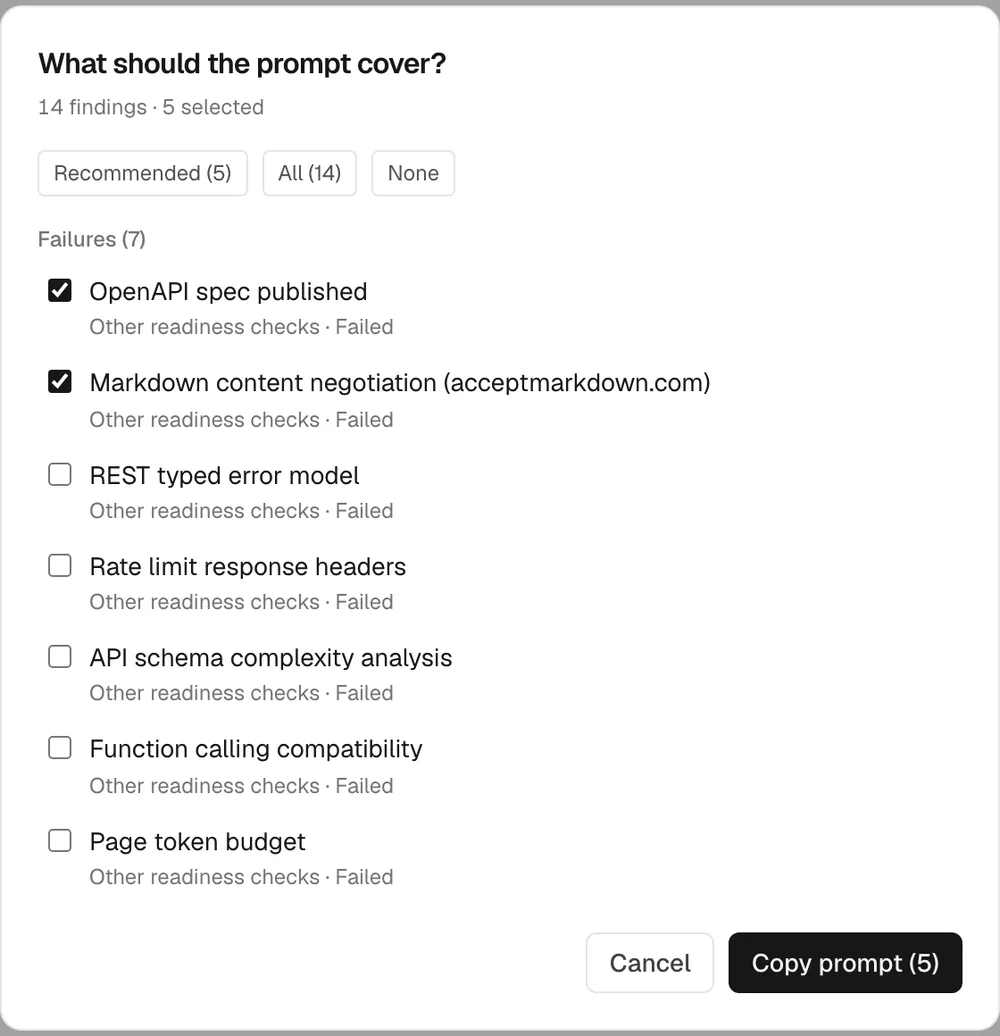
is-agentic.com: “Prompt to improve”
Both tools turn failures into a prompt for your coding agent. Review the diff like any other PR.
Scan from the terminal and CI
terminal
# Vercel's Is Agentic scanner, from the command line
npx is-agentic example.com --json

# Or read a stored report over HTTP
curl -s 'https://is-agentic.com/api/v1/report?url=example.com'

# Catch regressions in CI: set the threshold from your own baseline
npx @vercel/agent-readability audit https://example.com --min-score 80
Chrome Lighthouse has an experimental Agentic Browsing category: accessibility tree, layout shift, llms.txt, WebMCP.
The scanners practise what they preach: they offer CLIs, APIs, and MCP servers of their own.
Scores shift with methodology and certify nothing (Is Agentic’s limitations). Sources: Vercel KB, @vercel/agent-readability, Lighthouse agentic browsing
Most of the web isn’t there yet
Adoption among Cloudflare Radar’s top 200,000 domains, Apr 2026:
robots.txt present78%
Content Signals4%
Markdown negotiation3.9%
MCP Server Card<15 sites
Most sites stop at robots.txt. A few small changes already put you ahead.
Source: Cloudflare, Introducing the Agent Readiness score
Wrapping up
Recap
Where to start
| When | Product (CLI, MCP) | Website |
|---|---|---|
| This week | Add --json and non-interactive flags; fix exit codes |
Decide your AI stance; update robots.txt and the sitemap |
| This month | Headless auth with scoped tokens; llms.txt for your docs |
Server-render key pages; add llms.txt and .md mirrors |
| This quarter | Ship a skill; add MCP if agents without a shell need you; get indexed by Context7 | Structured data, trust pages, Markdown negotiation |
| Always | Version the output; never rename fields | Keep SEO, accessibility, and performance healthy |
Test real agent tasks before and after: success, wrong actions, time, and tokens. Use scanner findings to diagnose.
Key takeaways
1. Agents read text best and have finite memory. Design for text and tokens.
2. A great API, plus the CLI or MCP your users’ agents need, lets them operate your product.
3. For the web, SEO and accessibility still come first. Agent extras build on them.
4. Opting out is fine. Whatever you choose, send honest, consistent signals.
Build for humans and agents: the overlap is just good engineering.
Thank You
And happy building! 🤖
Check out my other slide decks on software development best practices
Resources
Vercel
- Is Agentic: paste a URL, get a score and a fix prompt
- Make your site readable by AI agents
- Agent-friendly pages with content negotiation
- Markdown and agent discovery
Cloudflare
- Is It Agent Ready?: scan and copy fix instructions
- Introducing the Agent Readiness score
- Markdown for Agents
- From ranking to recommended (AEO)
- Code Mode MCP
Standards
Image credits
| Slide | Image | Credit and licence |
|---|---|---|
| The command line is back | DEC VT100 terminal | Jason Scott, CC BY 2.0, resized |
| The web was built for people | First web server at CERN | Coolcaesar, CC BY-SA 3.0, resized |
| Exemplar: GitHub CLI | cli.github.com | Screenshot, GitHub, 7 Oct 2026 |
| Get indexed by Context7 | context7.com | Screenshot, Context7 (Upstash), 7 Oct 2026 |
| Measure and iterate | isitagentready.com | Screenshots, Cloudflare, 7 Oct 2026 |
| Measure and iterate | is-agentic.com | Screenshots, Vercel, 7 Oct 2026 |
Screenshots are used for commentary and remain the property of their owners. Visual design inspired by loot-drop.io.